Seamless Shopify Integration
for e-commerce and SMEs
- Fully Automated Fulfillment: Shopify orders auto-import and auto-book with your preferred carriers—no manual entry required.
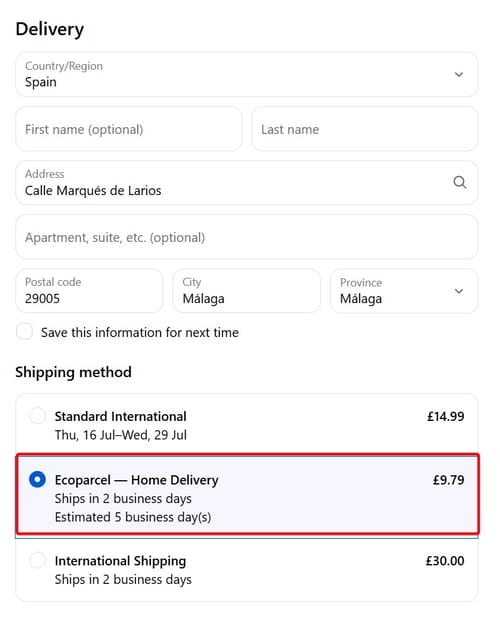
- Real-Time Prices at Checkout: Show live Ecoparcel delivery options—home delivery and parcel lockers—priced with your account rates, right in Shopify checkout.
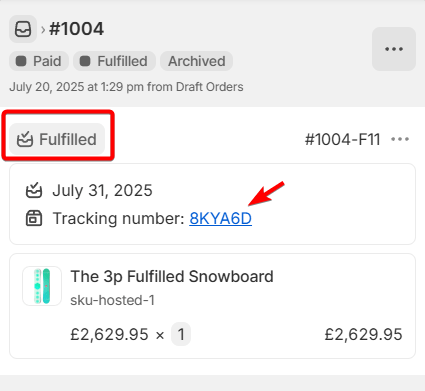
- Instant Shipment Status: “Fulfilled” status and tracking links update in Shopify as soon as your parcel ships.
- Centralized Order View: Manage all unfulfilled Shopify orders in one intuitive Ecoparcel dashboard.
- Fewer Support Queries: Customers track orders directly in Shopify with clickable tracking URLs.
- Optimized Carrier Rates: Leverage your negotiated shipping rates and generate labels in a single click.
- 5-Minute, No-Code Setup: Install the Ecoparcel Shopify app and be dispatch-ready without any developer help.

Start the App Installation
- In Ecoparcel, go to Integrations -> Shopify.
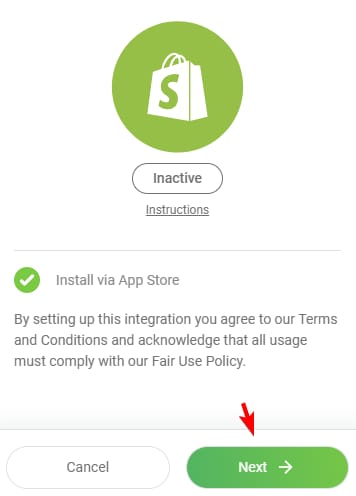
- When you see the modal marked Inactive with the “Install via App Store” notice, click Next.
Install Ecoparcel from Shopify App Store
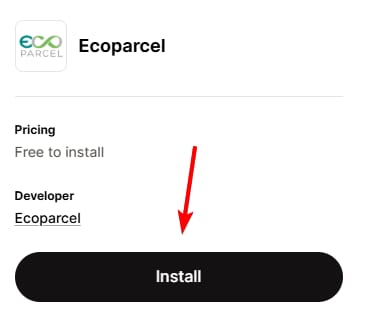
- You’ll be redirected to the Shopify App Store page for Ecoparcel.
- Click the black Install button to add Ecoparcel to your Shopify store.
Grant Data Access in Shopify
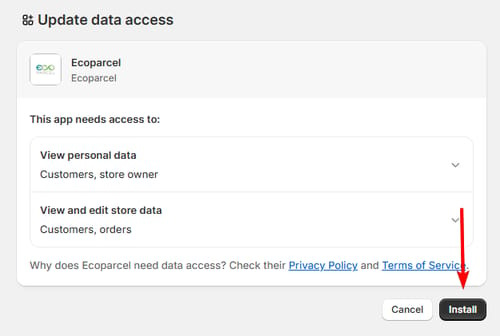
- Shopify will prompt you to approve Ecoparcel’s data scopes.
- Review the permissions and click Install to authorise.
Confirm Active Connection
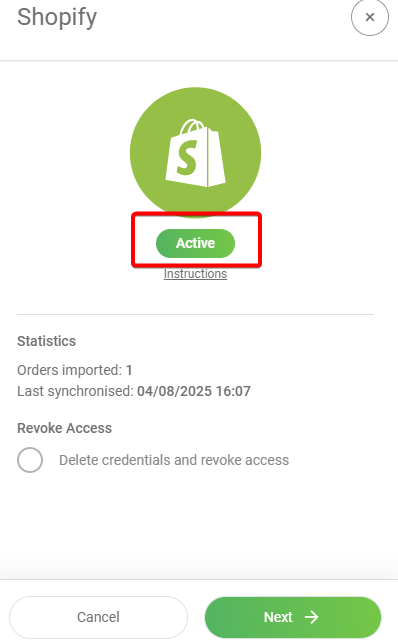
- After approval, you’ll return to Ecoparcel’s modal where the status badge now reads Active.
- Verify the stats (Orders imported, Last synchronised) and go to "My Orders" section.
Show live rates at your checkout
- Live rates use Shopify's third-party carrier-calculated shipping—a paid Shopify feature that must be enabled on your store first. It is included on the Advanced and Plus plans; on the Grow plan you can add it for a monthly fee via Shopify support, or get it at no extra cost by switching to annual billing. It is not available on the Basic or Starter plans. Without it, order import and tracking still work as normal; only live checkout rates are affected.
- Once the feature is enabled on your store, live rates activate automatically when you connect (or reconnect) the Ecoparcel app—no extra plugin needed. If Shopify asks you to approve a new Manage shipping rates permission, click Update.
- In Shopify admin, go to Settings -> Shipping and delivery, open your shipping profile and add Ecoparcel as a rate provider to the zones where you want it offered.
- Your buyers now see live Ecoparcel delivery options at checkout—home delivery and parcel lockers, best value first, priced with your account rates. Keep product weights filled in, as they drive the pricing.
Sync Your Shopify Orders
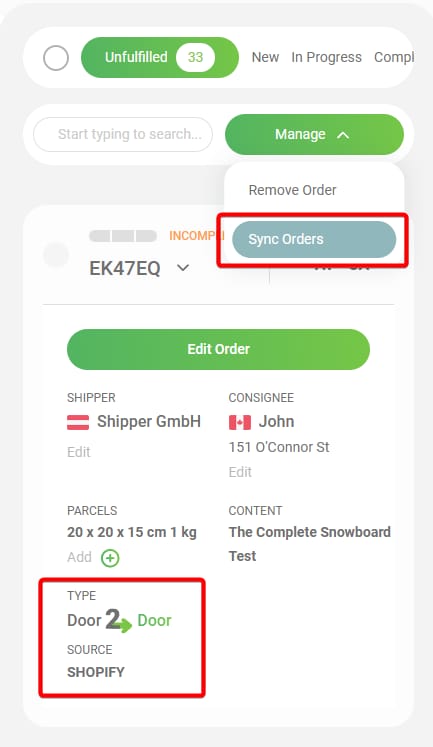
- In Ecoparcel’s dashboard, navigate to My Orders and select the Unfulfilled tab.
- Click the Manage dropdown and choose Sync Orders to import all new Shopify orders.
Confirm Fulfillment & Tracking in Shopify
- Once Ecoparcel marks an order as shipped, the order will be marked as "Fulfilled" in Shopify.
- Tracking ID and tracking URL for your customers will be added to your Shopify order.